











Bluetooth Multipoint Explained: Overview
Bluetooth multipoint enables a single device to maintain connections with multiple sources at once, such as a smartphone, a Bluetooth headset, and a computer. This capability, also known as multipoint technology, supports hands-free calling, audio streaming, and quick device switching without re-pairing. In practice, multipoint enhances wireless connectivity by reducing gaps between sources and providing smoother transitions during calls and media playback. Compatibility varies by device and profile, so understanding how connections are negotiated helps users maximize benefits and avoid interruptions. The sections below explain the concept, the connection flow, and common real-world use cases.

What is Bluetooth multipoint?
Bluetooth multipoint is a practical feature that enables a single device to maintain reliable, simultaneous connections to several audio sources and control peripherals, dramatically reducing the friction of switching between devices during calls, music, or video conferences across car systems, earbuds, and desktop setups. Behind the scenes, the technology negotiates profiles, manages link priorities, and makes quick decisions about which source should carry audio and which should wake the microphone, all while attempting to minimize latency and jitter. Bluetooth multipoint is most effective when devices support key profiles such as A2DP for high-quality stereo audio and HFP/HSP for hands-free calling. Running multiple links requires careful codec negotiation and bandwidth sharing, which means some devices may favor one source over another or limit simultaneous playback to preserve call quality. The core idea is to enable seamless transitions across devices without manual pairing shifting; this supports a smoother user experience in everyday tasks.
- Definition and core idea: Bluetooth multipoint is a feature that lets a single device maintain simultaneous connections to two or more headsets, speakers, or phones, enabling quicker switching.
- Active pairing workflow: When you enable multipoint on a device, the system negotiates link priorities, so calls, audio, and inputs consistently route to the most appropriate source.
- Automatic device selection: If a second source rings or streams, the device can smartly switch based on user preferences, availability, and device compatibility without requiring manual re-pairing or interrupting audio.
- Limitations and pitfalls: Not all Bluetooth profiles support multipoint, and some devices prioritize one connection over another, which can cause brief audio drops, occasional latency, or delays.
- Benefits in real life: Multipoint reduces the need to disconnect and reconnect when moving between a phone, laptop, or headset, boosting productivity, comfort, and hands-free calling efficiency in daily workflows.
Understanding these dynamics helps users choose devices with robust multipoint support and smoother compatibility across headsets, laptops, smartphones, and smart speakers, while also setting expectations for occasional timing discrepancies in busy wireless environments.
How multipoint works (connection flow)
The multipoint connection flow combines discovery, pairing, link setup, and dynamic switching into a cohesive lifecycle, so you can understand how a device maintains simultaneous connections without constant user intervention. The following table outlines typical states, actions, and transitions, with practical notes on latency, priority handling, and recovery when sources become unavailable.
<
| Step | Action | State | Notes |
|---|---|---|---|
| Discover devices | Device scans for nearby Bluetooth sources; devices advertise profiles such as A2DP for high-fidelity audio or HFP for hands-free calling; security pairing may occur later. | Idle/Discovering | Sources respond to inquiry; some devices require user confirmation for initial connection. |
| Establish pairing | Pairing requests and responses exchange cryptographic keys; user prompts may be shown on one or more devices; once confirmed, links are established with saved profiles. | Pairing | Secure connections enable multipoint functionality across multiple profiles. |
| Set multipoint links | Two or more device links are created, priorities assigned (e.g., phone > media); codecs are negotiated to balance latency and quality. | Linked | Primary source selected; others stay ready for quick switch when needed. |
| Handle incoming activity | Event-driven changes occur: incoming calls, audio streams, or prompts trigger decisions about which link is active; the system may pause playback if necessary. | Active/Streaming | Priority rules minimize disruption and keep critical communications active. |
| Switching and recovery | If the active source becomes unavailable, the system switches to the next eligible link; reconnection occurs gracefully, preserving user context and volume. | Active/Switched | Latency and jitter may vary with environment, but handover remains seamless in many devices. |
In practice, manufacturers implement different multipoint policies, so behavior can vary between headsets, laptops, and phones, especially during rapid source switching or when multiple profiles contend for priority. Users benefit from reviewing device specifications for multipoint support, testing across common pairs, and understanding latency expectations to optimize setup for work calls and multimedia sessions.
Common use cases
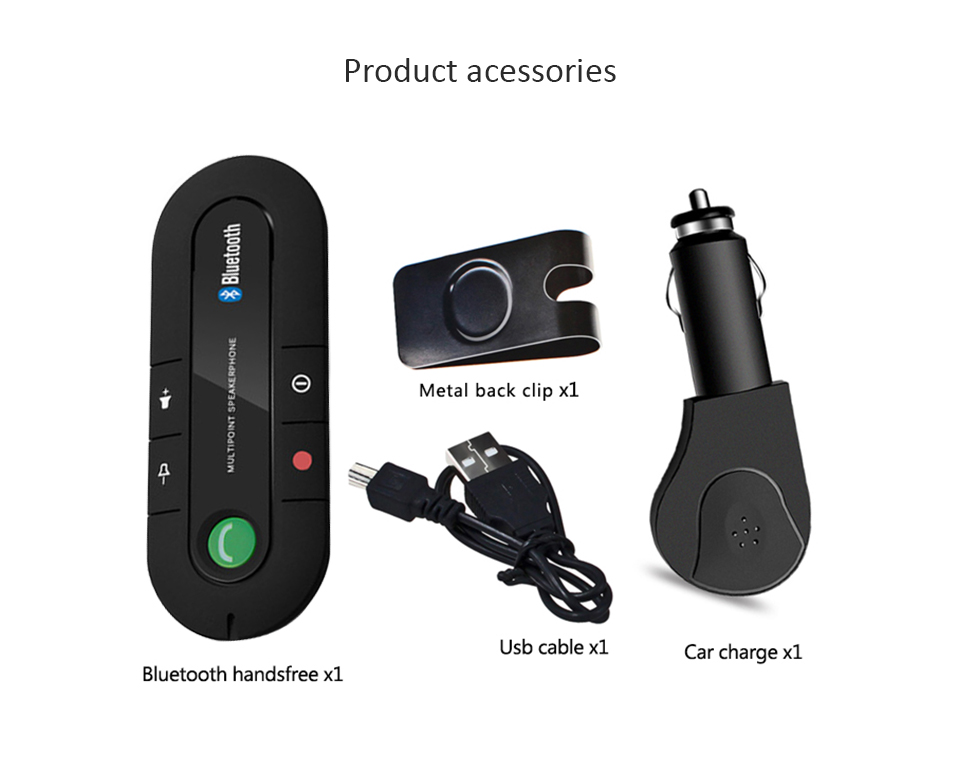
Hands-free calling across multiple devices is a common scenario for drivers and remote workers. By pairing a smartphone with a car Bluetooth system and a headset, users can answer calls on whichever device is most convenient at the moment, with multipoint maintaining your microphone and speaker paths so transitions feel natural rather than disruptive.
Media streaming and audio productivity are other frequent patterns. A laptop can output music or conference audio while a phone still handles notifications and quick chats. When a call comes in, the system can pause playback on the laptop and route the call to the phone or headset without manual reconfiguration, preserving context and listening experience.
Work-from-anywhere setups benefit greatly from multipoint by keeping a desktop or laptop headset in use while staying connected to a mobile device for alerts, calendar prompts, and collaboration apps. This is particularly valuable in hot-desking environments or shared workspaces where devices move frequently between users or rooms.
Device management and compatibility considerations matter as well. Users should check which Bluetooth profiles the devices support (A2DP, HFP, etc.), confirm codec behavior, and understand how switching rules are prioritized. In addition, battery life, interference from Wi-Fi networks, and device proximity can influence reliability and latency during busy workdays or travel.
Core Features and User Benefits of Bluetooth Multipoint
Bluetooth multipoint expands how devices connect, enabling one pairing to support phones, laptops, earphones, and car systems. It simplifies daily workflows by letting calls, music, and notifications flow across sources without repeated pairing. Users benefit from smoother audio transitions, reduced setup times, and more reliable hands-free experiences in busy environments. As devices negotiate connections, you gain consistent performance even as you switch between work and personal ecosystems. Understanding the core features helps you choose compatible hardware and maximize your setup.
Benefits for everyday users
For daily use, Bluetooth multipoint delivers tangible improvements that save time and reduce friction when juggling calls, music, navigation prompts, and collaboration across devices.
- Seamless transitions between your phone, laptop, and car system mean you can take hands-free calls or music without manual reconnection or re-pairing.
- One pairing, multiple sources: once linked, you can access audio from any connected device without juggling Bluetooth settings, lowering friction during busy days.
- Improved call quality with better mic management as the headset or phone selects the optimal device for voice capture, reducing echo and background noise.
- Simultaneous connections let you listen to audio from a tablet while taking a call on your phone, keeping conversations and media streams independent but synchronized.
- Reduced battery drain as devices negotiate the best profile and power usage, avoiding constant reconnects and unnecessary high-power transmissions across platforms.
- Faster setup after pairing, thanks to shared Bluetooth multipoint profiles that remember preferences, so you’re ready to go with minimal taps.
- Widely compatible with common headsets and devices, giving you reliable connectivity even with older laptops or consumer audio devices that support multipoint.
These practical benefits contribute to smoother daily workflows and fewer interruptions across your devices.
Benefits for professionals and gamers
In professional contexts, reliability, clarity, and predictability are paramount. Bluetooth multipoint helps by coordinating audio between phones, laptops, and conferencing systems, so you stay connected without manual re-pairing.
Low latency is especially important in live meetings and gaming scenarios where even small delays can disrupt conversations or timing. Multipoint aims to minimize jitter and maintain consistent echo-free audio when multiple devices are active.
Remote workers benefit from faster transitions between calls and presentations, with a headset or speaker automatically routing to the device in use while preserving ongoing tasks on other sources.
Gamers and collaborators appreciate synchronized voice chat across devices, provided your hardware supports the necessary codecs and your network remains stable during play or collaboration sessions.
Limitations and user expectations
Multipoint is powerful, but compatibility varies. Some devices only support multipoint with specific headsets, while others limit simultaneous profiles to two devices.
Latency and audio quality can differ by device, Bluetooth version, and codec support, so outcomes aren’t identical across all setups.
Interference from Wi-Fi, other Bluetooth devices, and physical obstacles can cause occasional dropouts or reduced range, especially in crowded environments or cars.
Technical Specifications and Device Compatibility
Bluetooth multipoint enables a single device to manage multiple connections simultaneously, simplifying audio streaming, hands-free calling, and seamless device switching. This section outlines the technical specifications and device compatibility required to implement reliable multipoint connections across phones, laptops, headsets, and other Bluetooth devices. It covers common Bluetooth versions and profiles, practical device types that typically support multipoint, and typical limitations such as latency and codec selection. Understanding these specifications helps buyers and developers assess compatibility across ecosystems and ensures smooth user experiences. We also discuss troubleshooting considerations to address common connectivity challenges and optimize performance.
Supported Bluetooth versions and profiles
Multipoint compatibility varies by Bluetooth version and supported profiles. The table below highlights common versions and the profiles enabling simultaneous connections across devices.
| Bluetooth Version | Core Profiles | Key Capabilities |
|---|---|---|
| Bluetooth 4.0/4.1 | HFP, HSP, A2DP, AVRCP | BR/EDR multipoint support with classic pairing; basic dual-connection capability; suitable for older devices and headsets with stable, moderate throughput. |
| Bluetooth 4.2 | HFP, HSP, A2DP, AVRCP | LE coexistence begins; improved privacy and data efficiency; better pairing experiences on newer devices while maintaining reliable dual links. |
| Bluetooth 5.0/5.1 | HFP, HSP, A2DP, AVRCP | Wider bandwidth and range; enhanced multipoint stability; improved coexistence with other wireless technologies and easier switching between sources. |
| Bluetooth 5.2+ | HFP, HSP, A2DP, AVRCP, LE Audio | Isochronous channels and LE Audio support; more robust simultaneous streams; lower latency during source-switching and better battery efficiency. |
When evaluating devices, also consider codec support and latency, as these factors influence audio quality during switching. The capabilities listed here reflect common industry expectations, but exact support can vary by manufacturer and device model.
Device compatibility (phones, laptops, headsets)
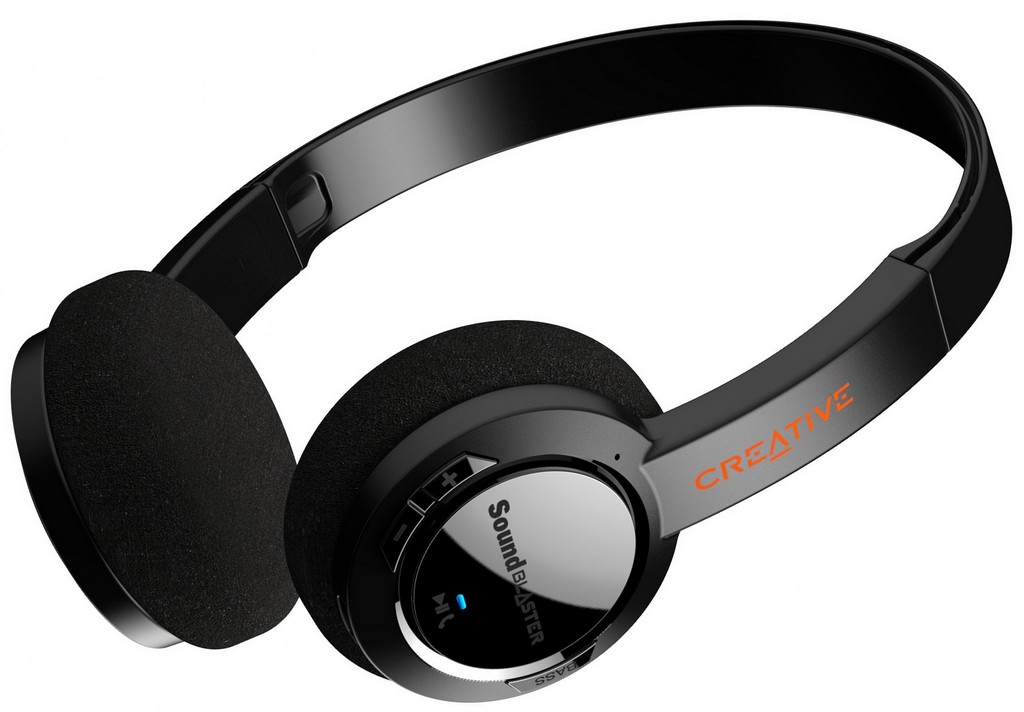
Compatibility for multipoint connections depends on both the device and the Bluetooth stack used by the OS. In practice, most modern phones and laptops offer multipoint support across common profiles, enabling quick switching between calls and media while maintaining audio output from two or more sources. The following overview outlines typical expectations for each category, helping you plan compatible setups without extensive trial-and-error testing. Keep in mind that firmware updates and OEM customizations can affect availability and reliability of multipoint on individual devices. Proper configuration usually requires enabling multipoint or multi-point connection options in device settings and ensuring that paired accessories also advertise multipoint capability.
Re-pairing and resetting devices
Re-pairing is often the simplest way to resolve stubborn multipoint issues. Begin by removing all Bluetooth pairings for the affected devices from both ends, then reset the Bluetooth module or refresh network settings on each device. Reboot the devices to ensure a clean state, then re-enter pairing mode on each item. Start by pairing the primary source device with the headset or audio accessory, verify an audio connection, and finally attempt to add the second source. If the second pairing fails, delete the existing secondary pairings and try again. Confirm that both devices support the required multipoint profiles and that firmware is up to date. After successful pairing, test hands-free calling and simultaneous audio streaming to verify stability and reliability.
Interference and signal problems
Interference from other 2.4 GHz devices, crowded environments, or obstacles between devices can degrade multipoint performance. To mitigate these issues, reduce physical barriers, keep devices within a reasonable range, and minimize crowded channels by changing the location of sources or selecting hardware with adaptive channel selection. Turn off unnecessary Bluetooth devices when testing connections to reduce contention. If latency or jitter persists, try switching to a different codec where possible, limit high-data-rate activities on secondary connections, and update both devices to the latest firmware to improve signal stability and pairing reliability.
Troubleshooting common connectivity issues
Common connectivity problems with Bluetooth multipoint include devices failing to pair, inability to maintain two simultaneous connections, or unstable audio swapping when switching sources. Start with a quick diagnostic: confirm both devices explicitly support multipoint, verify that they are within the recommended Bluetooth range, and ensure the affected devices are visible and not connected to other accessories.
Next, inspect the software stack. Check for recent OS or firmware updates, as manufacturers frequently fix multipoint issues in updates. If pairing fails, reset the device’s Bluetooth network data, re-pair from scratch, and confirm permission prompts for access to contacts or other media are granted where required. For ongoing issues, test with a different headset or speaker to determine whether the problem lies with one particular accessory or the host device.
When audio quality degrades, consider codec negotiation and latency. If possible, prefer profiles and codecs that deliver stable performance over maximum bandwidth, and avoid mixing devices that rely on markedly different data paths. In some cases, disabling LE Audio or forcing a fallback to BR/EDR can improve compatibility. Finally, consult manufacturer guidance for any known multipoint limitations specific to your devices’ models and software builds.
Re-pairing and resetting devices
Re-pairing and resetting devices is a robust first step when multiplex connections behave erratically. Start by removing all connected devices from both ends, then perform a full reset of the Bluetooth settings on each device. Enter pairing mode and re-establish connections with the primary source first, followed by the second source. After re-pairing, test both hands-free calls and audio streaming. If issues persist, check for firmware updates from the manufacturers and re-run the pairing process after applying them. Document which devices were involved and the observed behavior to help identify patterns over time. If possible, try alternative accessories to determine whether the symptom is device-specific or a system-wide limitation.
Interference and signal problems
Interference and signal problems can disrupt multipoint performance even when devices are technically compatible. Start by locating devices away from routers, microwaves, and wireless speakers that share the same 2.4 GHz spectrum. Reduce physical barriers, keep the devices within a few meters of one another, and minimize the number of active Bluetooth connections in the area. If your setup supports it, enable adaptive frequency hopping or channel selection features in the devices’ firmware to mitigate interference. Consider switching to a different environment for critical tasks and, if needed, test with a different headset or computer to isolate the source of the problem.
Pricing, Offers, and Competitive Comparison
Pricing for Bluetooth multipoint devices reflects more than just the upfront sticker price; it blends hardware complexity, software sophistication, and the added value of seamless switching across multiple sources, a capability that benefits professionals, students, and everyday users who juggle phones, laptops, and wearable audio. Multipoint support requires capable Bluetooth controllers, multiple antennas, more memory for firmware, and careful power management to maintain stable connections when two or more devices are active; these engineering challenges push costs higher in midrange and premium products. Beyond core connectivity, manufacturers often layer features such as high quality microphones, active noise cancellation, advanced codecs, longer battery life, ruggedized builds, and software apps that calibrate fit and optimize performance, all of which add to the price but deliver tangible user benefits. Price tiers also reflect brand positioning, warranties, after sale service, and channel strategies, with entry level options focusing on essential multipoint pairing, while premium models justify premium pricing with durability, attractive aesthetics, smoother app experiences, and enterprise oriented support. When comparing offers, buyers should consider total cost of ownership, including durability expectations, maintenance, replacement cycles, and whether bundled accessories or extended warranties are included, ensuring the chosen device delivers reliable wireless connectivity across devices without unnecessary premium for unused features.
How manufacturers price multipoint devices
Manufacturers price multipoint devices by balancing prototyping costs, component quality, and expected usage scenarios. The core hardware cost comes from the Bluetooth radio, antenna architecture, memory and processing power, and the microphone array needed for clear hands free calling. When a device is designed to support two or more simultaneous connections, the firmware must manage link state, handle channel hopping, and reduce latency during handoffs, which adds development time and risk that must be compensated in price. Licensing and certification also affect price; devices must pass Bluetooth SIG qualifications and often negotiate with codec licensors for support of formats like AAC or aptX, which can add per unit royalties and testing expenses. In addition, value drivers such as active noise cancellation, adaptive equalization, and ergonomic design increase bill of materials and production complexity. Distribution costs vary by channel, with brand direct sales offering lower margins but greater control, while third party retailers and carriers require margins that are passed on to the consumer. Warranty length and after sale service influence price as well; longer warranties or bundled support plans raise upfront costs but can create perceived value. Companies also segment the market with entry level multipoint products that emphasize reliable pairing over premium features, and mid range and premium lines that stress durability, software ecosystems, and enterprise oriented support. The result is a spectrum where a basic two device multipoint headset may be priced under 60 to 90 dollars in many markets, while feature rich headphones with ANC and cross platform synchronization commonly sit in the 120 to 250 dollar range, and premium models with extended warranties and professional grade designs can exceed 300 dollars. Consumers should weigh the price against expected life cycle, replacement costs, and whether the device will serve as a central hub for multiple devices such as a phone, laptop, and car infotainment system. Ultimately multipoint pricing reflects the balance between engineering rigor and the value delivered through convenience and reliability in everyday workflows. Manufacturers also invest in software compatibility testing across disparate ecosystems like Windows, macOS, Android, iOS, and automotive infotainment; this reduces switching friction and supports consistent experiences, which justifies a portion of the price. Customers should read reviews focusing on pairing consistency, dropouts, and firmware update reliability as those can influence total cost of ownership.
Comparing popular multipoint devices
Choosing among popular multipoint devices means assessing a few shared performance traits and several differentiators. The first axis is platform compatibility; the widest support across iOS, Android, Windows, and macOS is desirable because it reduces the friction of pairing and switching between devices. A second axis is the quality of the multipoint handoff—how smoothly the device switches from a laptop to a phone when a call starts, and whether audio streams pause or continue with minimal user intervention. Latency matters especially for video and gaming, and many devices offer low latency modes or specialized codecs to minimize delays. A third axis is audio quality and mic performance; even when two or more devices are connected, users expect clear voice capture and consistent playback volume. Price often tracks those capabilities, but the best value often comes from devices that balance good audio with dependable switching, rather than chasing every premium feature. Battery life is another practical consideration; larger over ear headphones typically deliver longer run time for multipoint use but carry more bulk, while compact earbuds may sacrifice endurance to stay light and comfortable. Comfort and fit influence whether a user can wear a device across a full workday, and manufacturers differentiate by providing multiple ear tip sizes, padding options, and adjustable headbands. Ecosystem support also matters; some devices integrate with companion apps for EQ, firmware updates, and collision warning in car systems, while others rely on standard controls. In addition, you should compare build quality and durability, especially if you plan to use multipoint devices for commuting or travel where devices can be jostled or dropped. When listing popular models, many buyers gravitate toward products that offer reliable two device connections as the baseline, with some models expanding to three or more simultaneous connections in optimistic fitouts. Finally, reading independent reviews that test pairing reliability, switching speed, audio dropouts, and mic performance in real world offices and on the move helps set expectations about what each model can deliver over its typical lifetime. The key is to map your core use cases to the specifics of each device and avoid overpaying for features you will seldom use.
Headphones and earbud comparisons
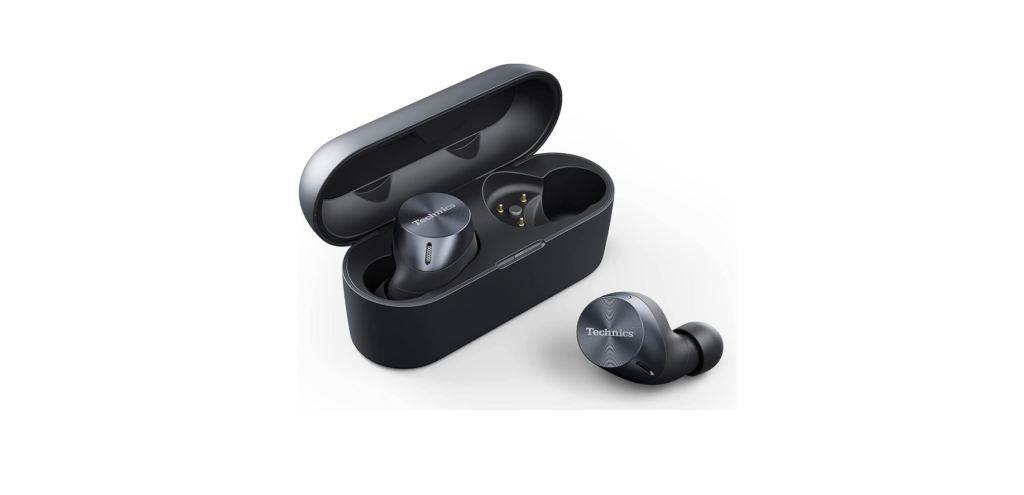
Headphones and earbuds share the same core goal of delivering dependable multipoint connectivity, but their form factor shapes how you experience it. Over ear headphones usually house larger batteries and bigger drivers, which can extend run time and deliver richer audio, and they often implement more robust mic arrays that help with voice capture in noisy environments. This translates to a stronger multipoint experience because the device can maintain stable links while you move between devices and still provide comfortable wear. Earbuds, by contrast, must balance tiny batteries with lightweight designs and tight controls; many offer two device connections but might drain faster when streaming high quality audio or using ANC. Pairing is typically straightforward on both, though some earbuds offer quick switch between a phone and a tablet with a tap or a button press. Latency is still a consideration for video calls or gaming, and higher end earbuds often adopt low latency codecs that help reduce delay. In terms of comfort, the fit and seal matter a lot for both types; headphones can rely on memory foam cushions and adjustable sliders, while earbuds rely on secure tips and fins to stay in place during movement. Microphone quality varies too; studio style headphones can host multiple mics and beamforming to reduce noise, whereas earbuds rely on built in mics that are positioned closer to the mouth. Price differences reflect the balance of battery, audio drivers, and build materials; expect to pay more for models with premium finishes, better ANC, and more sophisticated app support. Battery life is often longer for over ear models, while earbuds may excel in portability and quick charging. When evaluating, consider your typical contexts such as commuting, calls, and music listening; if you need seamless handoff across multiple devices in a busy office, a robust over ear set with dependable switching is often worth the extra upfront cost.
Speaker and headset comparisons
Multipoint support on speakers and headsets varies by form factor. Portable Bluetooth speakers focused on music playback usually support two devices at once, allowing you to switch from a phone to a laptop with minimal interruption, but mic performance is often limited compared to a dedicated headset. For conference oriented headsets, especially those used in calls, multipoint support is more about reliable voice capture than streaming. The best practice is to test how a device handles an active call on one source while audio is playing from another; some devices maintain the call on the headset while the source switches, others pause or mute. Latency is also critical when using a speaker for video conferencing; low latency codecs help ensure lip-sync accuracy. Range and stability are important too; a device should maintain a solid link through a typical home or office space, not just within a single room. Battery life on portable speakers is a factor; many models last many hours but require recharging between uses. For headsets used with desks or on the go, the comfort and fit of the headset matters; look for adjustable clamping force, soft cushions, and headband design that reduces fatigue during long meetings. App supports for fine tuning the balance between voice clarity and ambient sounds help customize your multipoint experience. In short, speakers excel for music and passive listening while headsets optimize for voice quality and long sessions with multiple devices; the best value depends on your primary use case and the importance you place on mic quality, latency, and ease of switching. When shopping, check if the device supports auto-switch and what triggers it; does it switch automatically when incoming call, or only with manual input. Also consider if there is compatibility guarantee across devices and OS versions.
Where to buy and warranty considerations
Where to buy multipoint devices matters for warranty and service terms. Official brand stores often offer the cleanest warranty coverage and access to firmware updates, while authorized retailers ensure authenticity and access to return policies. Check the warranty length typical for electronics, usually one year, with some brands offering two year plans or extended protection. Carriers and big box retailers often provide bundle options or promotions but watch for restocking fees or region specific return windows. For refurbished units, confirm the refurbishment is authorized and note that multipoint features are supported in the same way as new units. Gaming blog guidess and product support resources can also help clarify compatibility, firmware requirements, and device-specific features before purchase. When evaluating sellers, verify supported regions for warranty service and whether remote diagnostics are available. Keep copies of receipts as proof of purchase. In online shopping, review seller ratings and published service terms; some pages highlight coverage by third party warranties that may vary by country. Return policies are often influenced by the timeline and the device condition; read the fine print about opened software, app tests, or if returns require original packaging. For extended protection plans, assess cost versus coverage and whether it includes accidental damage or power components like batteries. If you rely on critical multipoint performance for work, consider official support channels and whether the vendor offers expedited repair or replacement, which can reduce downtime and risk. Ultimately the best path is to buy from reputable channels that provide clear warranty language, straightforward returns, and accessible support if you experience pairing or switching issues with your devices.